Monday, 13 April 2015

What are Customer Service Skills?

So you want to work on a service desk or customer support centre?  You want to recruit somebody to your support team?  What sort of skills are needed?

All too often I see job adverts for people who "must have" good customer service skills and ITIL Foundation certification (if on an IT Service Desk). But are these essential and what are they?

Communication
If you are working in a front line role you need to be able to communicate well. That means you must be able to talk to the caller in such a way that they don't feel threatened by overly technical or commercial talk and you must be able to listen and understand what the caller is saying. They generally aren't calling because they love calling your team, rather they are calling because they need something / something doing and they can't do / find it themselves.

Empathy
Now I'm not suggesting that if a caller says everything bad under the sun about your organisation or team you agree with them (that could be career limiting) but that you try and understand WHY they feel that way and think about what you can do to rectify it.  You may not be able to do anything, but if you can demonstrate that you have understood their concerns or issues and will attempt to do something about it, that will be a big step forwards.

Cheerful manner
Please do not go over the top.  I'm not suggesting that you should be "Have a nice day!" or "Missing you already", but smile when talking (even on the phone) and be polite.  If you have just had the call from hell, and the phone rings straight-away with no opportunity for someone else to take it, then take that deep breath, smile and answer the phone.  The caller doesn't want to know how bad things are - imagine how bad it is for them to have to call and ask for help.

Good telephone manner
Most support roles are telephone based now and so this is a critical "skill". The ability to feel confident when on the 'phone is important in most roles, but probably more so here. You need to be clear and confident.  And if anybody complains about the quality of your headset, change it immediately.  That is a piece of hardware that is as important as your computer and OSH approved desk & chair.  If you are recruiting somebody for this role, make sure that first interview is a 'phone interview. If that doesn't impress you, go no further because they won't impress your callers.

Polite
Under no circumstances should you be rude to the caller. This may be hard sometimes, but if they are rude to you, just ask to put them on hold and pass the call to your supervisor.

Ability to follow processes
Support teams have processes in place so that a similar level of service is provided each time a caller interacts with them.  You need people who can follow these processes.

Ability to think for themselves and not follow processes
Processes aren't always right.  To have people blindly following processes is wrong AT TIMES. The support team members need to know that if they feel a slightly different approach is called for (and it doesn't breach any company policies) then they will be rewarded for that thinking, not admonished.

Everything else can be taught / learned on the job.

Have I missed anything?

Wednesday, 8 April 2015

All Things ITSM - IT S&M Pain or Pleasure Part 3

I have written a series of blogs for All Things ITSM (which is fantastic site aimed at delivering "the one destination that has everything you need if you are concerned about the value business gets from IT".
The third of these blogs can be found here

Tuesday, 31 March 2015

Post webinar Q&A - The Science behind Service Catalogues


Image result for q&a icon


As a follow up to some questions I was asked at my recent webinar for ManageEngine, but unable to answer at the time, we have responded on ManageEngine's blog site.

I would value your comments about my answers, and the webinar.

The Q&A can be found here.

Monday, 30 March 2015

Conferences - what's the point?


Image result for conferences

Why would you want to attend a conference that takes you away from your work and costs several hundred or thousand dollars?

That is a very good and important question. You may only have the opportunity to attend either a training course or a conference in a year and a training course looks so much better on your CV, doesn't it? Or does it?

Training, while important to your current employer, addresses an immediate need. Your employer has identified a need for you to have a particular skill set, or you have convinced them during your annual review process, and so it is signed off.  "Go and find the training course you need" (before the training budget is slashed).

Conferences probably come from the same budget as your training, so it is fighting for the same opportunity. However conferences are often not going to address an immediate need. They address a long-term desire. Attending a conference will allow you to meet, talk to and listen to other people in similar roles as you, but in different organisations. You will learn about the mistakes they have experienced, the improvements they have made and the ideas that this will spark will enable you to often identify improvements in your current workplace.  It will also enable you to network with other people and talk to those people throughout the year.  I've never met somebody at a conference who has said that they are happy to talk about things when everyone is back at work, and not meant it.  If they are at the conference, they generally enjoy their work and want to grow and help others to grow. So when you get that sticky piece of work and are not sure who to talk to, call upon your network. Someone will have been there before or will be happy to think and talk it through with you.

Conferences are also where vendors are. These are not the terrible people that your mother warned you of, but the people who have products that will probably help you in your job and help keep the cost of your conference down to a level that means you are more likely to be able to get it signed-off. By talking to these people, you will learn about different ways of doing your job, different products to ease the way you do your job or you may even be able to talk to a subject matter expert in the product you currently use to understand what you could do differently, or why you should push to get the latest version in your organisation.

Conference attendance also, in my view, looks better on a CV. It demonstrates maybe not enthusiasm, but enjoyment of your role or skills, and a desire to improve.  That is more important in the long-term than a 3 - 5 day course, unless you need to plug an immediate gap.

So get along to the local conference of your choice.  There may only be one a year in your country, or there may be several and you have to pick and choose.  Many conference organising teams will also be happy to help you justify your attendance if you ask.

I find that the itSMFnz annual conference, and the branch meetings, are a valuable asset for all of the reasons above, so maybe I'll see you at one of those?


Saturday, 21 March 2015

Webinar around service catalogues

Recently I was asked by ManageEngine to produce a webinar around Service Catalogues, which they named "The Science behind effective Service Catalogues".  It was a pleasure to have been asked and I enjoyed producing it immensely. There were over 100 people in attendance at the webinar and I felt that I let several people down because, due to technical issues at my end, I was unable to answer any questions.

So, over the coming days,  I will be addressing the questions that were raised and they will be published, initially by ManageEngine, and then by me on this blog.

If you didn't get a chance to attend the webinar, it can now be found on ManageEngine's YouTube page, or here.


I would welcome your feedback.


Tuesday, 17 March 2015

Wearable tech will be affecting your helpdesk - really?

Image result for man banging headWith all the hype recently around the release of Apple's new watch, there appears to have been a plethora of blogs telling us how the helpdesk needs to be ready for the influx of calls from people wanting to use the benefits of wearable tech for work and how the helpdesk needs to address issues like security, compatibility with existing software and hardware and the information "stored on them".

What rubbish.

None of this is a role for the helpdesk.  Just as with smart phones and tablets or people's personal laptops or palm pilots, this comes back to governance.

Do the governors of IT want IT to allow smart watches to be used in the workplace? I doubt they would be able to consider all of the risks and benefits so this is where IT (maybe in the form of the CIO) needs to advise the governors.  When they have all the information, they can make an informed decision. Then they can direct IT to allow certain things.

Without this direction, IT don't allow anything.

If the governors decide that they do want to allow wearable tech within the workplace, then it is still not the helpdesk that addresses the issues mentioned above. Information Security will consider and address information and security concerns, compatibility will be undertaken by architects.  None of that is the helpdesk.

Image result for policeman clipartWhen everything has been considered and all risks mitigated to an acceptable level, then the helpdesk and other support teams (who we hope have been involved in the design of any changes) will receive all the appropriate information BEFORE go-live, so that they can support the users.  Until then, nothing is supported.

So pundits, before you start scaremongering, just consider who DOES need to address concerns and when.  Let's get the governors governing and IT managing.  It's like Government and Police. The Police (IT) are suppose to uphold the law, and the Government (Governors) set the law. (To follow that analogy a bit, see the IT Skeptic's To Protect and Serve)

Monday, 16 March 2015

All Things ITSM - IT S&M Pain or Pleasure Part Two

I have written a series of blogs for All Things ITSM (which is fantastic site aimed at delivering "the one destination that has everything you need if you are concerned about the value business gets from IT".
The second of these blogs can be found here

Friday, 13 March 2015

All Things ITSM - IT S&M Pain or Pleasure Part One

I have written a series of blogs for All Things ITSM (which is fantastic site aimed at delivering "the one destination that has everything you need if you are concerned about the value business gets from IT".
The first  of these blogs can be found here

Friday, 27 February 2015

Meeting etiquette - online / phone meetings

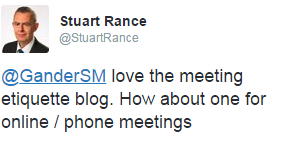
As a follow up to my Beginner’s guide to meeting etiquette blog, Stuart Rance asked for thoughts on online / phone meetings.


We don't want meetings like this, do we?


So, where to start?  Well, again in no particular order :


Organisers
  • If you are arranging the meeting send everybody the correct method to connect to the meeting.  Check that it works before sending it. Preferably send it in a meeting invitation and not in a separate email. That will get lost.
  • If you are sending out details for a phone conference ensure you have sent out the attendees code and not the chair’s. Likewise, make sure you have the chair’s code otherwise the meeting goes nowhere.
  • *Addition 4/2/16 - Mark Smalley suggests a good chair in this blog


Attendees
  • Check that you have the means to use the methods provided, as soon as you receive them.  It is frustrating for all, to have attendees turning up at random periods after the start time because their phone / tablet / laptop / computer couldn’t use the appropriate technology for the meeting.
  • If you are attending a phone conference, have the attendee’s code recorded outside of your calendar. Otherwise you will find it very difficult to find it, copy it and type it in to your phone if you are doing it all on your mobile.
  • Say your name, if requested, when you join the call. That reduces the continual “Who just joined” / “Have we lost someone or has someone joined” / “Is Bob here?” discussions that take over the first 10 minutes of any conference call.


Everyone
  • I think it would be fair to say that standard meeting rules apply, as it doesn’t really matter what forum the meeting is in, it is still a meeting.  However, turning off electronic devices may be difficult due to the way you access these meetings. You should however, not carry out other work in the background.  Your lack of attention WILL be found out.
  • If the meeting involves webcams, try to sit where there will be the least amount of distraction behind you.
  • Turn up a few minutes early. Test your connection. Have everything ready so that at the agreed time, the meeting can start.
  • Mute your phone / microphone when you are not talking.  Other people do not want to hear your background noise, whether it is builders,children, animals, emergency services sirens, office chatter or anything else.
  • Ideally have the meeting in a separate room, whether a meeting room at work, or a quiet room away from distractions at home. Unless you know your co-attendees very well, they probably don’t want to be part of your family during a meeting.


Other than all of that, online / phone meetings can be a great and efficient use of everybody’s time and can reduce cost.  Make good use of them and enjoy any free time it creates for you.

Let me know what else should be part of meeting etiquette. Let's change this meeting filled world!


Wednesday, 25 February 2015

Beginner's guide to meeting etiquette


Ah! Meetings. Whether we love them or hate them, we all have to attend them. So why do so many people get it so wrong? 


A tweet from Kirstie Magowan, which in turn referenced an article written a year ago by Greg Savage called  No, you are not ‘running late’, you are rude and selfish, got me thinking about how few people understand or consider meeting etiquette.  Having to then cancel a meeting with somebody today, I thought I would share my thoughts with the hope of gathering your feedback and compiling a definitive set of meeting etiquette rules.

In no particular order:

  • Don’t be late.  If you have accepted a meeting request for a certain time, then it is expected that you will be there at that time. The other attendees of meetings have made the effort to get there at the agreed time, so why shouldn’t you?
  • Don’t over commit.  If you are planning to be in another meeting, another location or believe that something will delay you getting to a meeting on time, suggest a different time. If that isn’t possible, then set expectations that you may be a few minutes late. People would rather know beforehand, instead of hanging around wondering where you are.
  • Be prepared.  If the meeting invitation asked you to have read something, or brought something, do it. Turning up to a meeting to discuss an item and reading it during the meeting is a waste of everybody's time.
  • Turn off electronic devices.  Unless you have a particular reason (note taking, expecting an update on a major issue, etc.) turn off your phone, tablet or laptop. Sitting in a meeting playing with your phone, or typing (click, click, click) on a laptop to catch up on emails is rude. It demonstrates a lack of professionalism and creates the impression that this meeting is not important to you.
  • Don’t talk over other people.  Meetings should not be a shouting match where people are being ignored or shouted down, but a place where discussions are held in a mature manner, and decisions reached.
  • Have an agenda.  If you can’t write down the purpose of the meeting and what you expect to achieve from the meeting, then what is the point of having it?
  • Don’t leave early. This is generally done by those individuals who turn up late.  You aren’t important enough to warrant them arriving on time and spending the requested time with you, obviously.  These people are the ones who live for back to back meetings as it makes them feel important. If they do it more than once, stop inviting them. Ask someone else from their team to attend and if they can’t make decisions, they can certainly take actions to get the required information together.
  • If you have said you will be there, be there.  Unless you have died on the morning of the meeting, there is no reason for you to not attend a meeting to which you have been invited, and you have accepted. If you really can’t make it, send somebody to represent you. There is almost nothing worse than driving for several hours to go to a meeting only to find out that nobody else turned up.
  • Be considerate.  I could have started with this one, as it sums up the others, but I think it needs saying separately and here.  If you can’t adhere to the points above, then you are inconsiderate and rude.  Don’t be surprised if people stop talking to you.

What have I missed out? What should be included? Let me know your thoughts and let’s see if we can change the world, bit by bit.

Monday, 23 February 2015

How to survive an audit

Image result for audit icon


I'm currently putting myself through training on ISO20000 which is the international standard for IT Service Management and am learning about the audit requirements. 

Reading through the types of audit and the steps that should be undertaken reminded me of something an old boss (old as in previous, not ancient) taught me when we were about to be audited for ISO9000 re-certification. It stuck in my head and so I thought I would share it with you in the hope that it helps you with your next audit.


Why do we get audited?

  • Legal requirement
  • To ensure best practice
  • To achieve certification
  • A client requirement
  • To ensure that documented procedures are being followed
  • Industry requirement

Image result for preparation

Preparation

  • Agree what the audit will cover (scope) and when it will be
  • Agree who will work with the auditor within your team / organization
  • Make sure they understand the scope and what needs to be ready for the auditor
  • Ensure everything is ready on the first day of the audit
  • Ensure everything has been recently reviewed
  • Allow those involved in the audit time in their day to prepare
  • Ensure the auditor knows exactly where to go on the day; you don't want a stressed auditor

The audit

  • Take the auditor to a pre-booked room that is big enough for their needs
  • Provide refreshments if possible
  • Show them where the facilities are and advise of fire exits / fire drills etc
  • Allow the auditors to run the timetable
  • Only cover the items agreed in the scope
  • Relax - an audit is a chance to improve the way you operate and not a criticism

Post Audit

Image result for reports
  • Listen to the auditors feedback at the exit meeting
  • Don't comment unless something is obviously wrong or misunderstood
  • Agree a date / time when you will receive the draft report
  • Agree what needs to be sent to the auditors and by when
  • Don't argue. Note areas of disagreement.

Audit Reports

  • Arrange a meeting to review the report with those involved and relevant senior management
  • Ensure you agree with the findings or document what and why you don't
  • Prepare responses and time-frames to resolve actions
  • Assign each action to an owner
  • Agree priorities.
  • If the auditors require regular progress updates, agree with the owners when they will be provided; follow up with the owners
  • Document progress
  • Close issues as they are completed, but check first.
  • Stick to the plan

Don't

Image result for do and don'ts
  • be confrontational
  • look at the audit as a way to get things done that you have been requesting for years
  • tell the auditor too much
  • commit to resolve things in time-frames that are unrealistic.

Do

  • prepare
  • look after the auditor
  • stay focussed on the scope of the audit
  • provide any additional information required by the auditor
  • put in place a plan to resolve issues raised
  • stick to the plan
  • highlight anything that will stop you achieving your actions time-frames.
  • RELAX